For the last day in October I decided to try out another tool for #Octshowntell. So I tried Dvolver as @jobeaz had tried it recently. Like her, my #Octshowntell posts aren't showing up in Twitter search, so I thought I would copy her last tool and tell a pretty poor story about Melbourne weather. The tool was quite easy to use and allowed for three scenes with a variety of backdrops, skies, music and text. I initially chose to do a soliloquy but other options were available such as dialogue. I was a bit confused about how to load it here as you actually had to email the movie to someone befor
re the option was given. But here it is! thanks @jobeaz!
My second go used a couple of characters; they weren't quite right as I had the following person going last but you get the idea!
Now we are all just wondering what we will do in November!!
Sunday, October 31, 2010


Friday, October 22, 2010
#Octshowntell #4 Animoto for recipes
For my fourth #Octshowntell, I went back to Animoto to see if it would work for another type of story: a recipe. there are a number of site where you can upload videos of cooking recipes but I have never really liked them or the result. I thought that Animoto might work. In preparation I took step by step photos while I was making basil chicken balls in tomato sauce. This time I loaded the photos directly from my own drive so that I could select them more easily. I then played around with some different formats and different music. Which one do you like best? Do you think Animoto works for recipes? Would it be better with a full length video as opposed to the free 30 seconds?
The first was done with original Animoto style to Mozart's overture to the Marriage of Figaro.
The first was done with original Animoto style to Mozart's overture to the Marriage of Figaro.
Create your own video slideshow at animoto.com.
The second was the same style and music but done with a one click remix.Create your own video slideshow at animoto.com.
The third used the original Animoto style but changed the music to another piece of Mozart.Create your own video slideshow at animoto.com.
The final version used the Color Fold style and the same piece of Mozart.Create your own video slideshow at animoto.com.
Sunday, October 10, 2010
#Octshowntell #3 Storybird

As Storybird was one of the sites that I played around with today I thought that it was probably useful to do something with it before I forgot. I really think it is unlikely that I would use this site for work or play again but you never know. It is probably quite useful for a children's librarian or a school librarian and would certainly be useful for kids to learn storytelling skills.
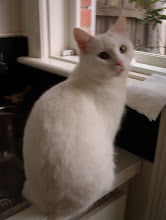
Telling stories is not my forte but I created a short one about my cat Polyxena and her names, called the Story of Polyxena. There are informational videos and it is quite easy to choose a theme or art work to use. The facility to embed it in a blog was supposedly available and weirdly I discovered it seemed to be an option with other stories I read on Storybird. Just not mine! I will be interested to see if others get the option when they link through.
PS This morning when I was on a different computer that didn't recognize me on Storybird I managed to get the code to embed the story. Fingers crossed that this works!
The Story of Polyxena on Storybird
#Octshowntell #2 Voki
I am trying to get up to speed here! I have done my Animoto and I uploaded a couple of Animoto shows to Youtube - a first for me. I have played around with a couple of the other suggested sites but then came across Miss Sophie Mac's Voki and decided to have a go at that. I wasn't particularly creative with it as I just used text to speech and the provided backgrounds. But I had definitely had FUNN playing round and can certainly see it as an eye- and ear- catching thing to put on our library blogs.
The only problem really is that it looks like it hasn't embedded in the blog while doing Preview but then when it is published it is there! You can embed your voki in three sizes: small, medium and large. I have done a medium and a large here.
Get a Voki now!
The only problem really is that it looks like it hasn't embedded in the blog while doing Preview but then when it is published it is there! You can embed your voki in three sizes: small, medium and large. I have done a medium and a large here.
Get a Voki now!
Subscribe to:
Posts (Atom)