Showing posts with label anz23mthings. Show all posts

Wednesday, January 6, 2016

#anz23mthings Thing 15 Adobe ID


OK, Anne, let's cut to the chase.  This Thing 15 Adobe ID stalled you in the midst of #anz23mthings two years ago.  Just get over it!

The point of this Thing is to explore possibilities for libraries using Adobe ID. I have an Adobe ID and it needs to be used for borrowing ebooks from my public library over Overdrive.  The Adobe process for signing up and for lost passwords is fairly cumbersome is my memory and potentially a matter of difficulty for some library users who may have limited computer literacy but want to read ebooks. So when introducing users to ebooks either face to face or on the website it would useful to have a clear guide and trouble-shooting, as well as having staff who are able to assist.

I essentially use Adobe for this as well as reading PDFs.  I create PDFs of documents directly from Word.  And I often read PDFs through my Dropbox app on my phone or iPad. One glitch I have noticed there is that occasionally filled in documents that I can read quite clearly on my desktop will come out blank when I am reading them through my Dropbox app.  I am not clear why this is so as I haven't explored which ones it happens to.  These are not documents I have created and happens in documents for a committee I am on.  I know it happens to other members as well.

I was interested to see the large suite of "desktop apps" that are available for subscription to the Adobe Creative Cloud and can imagine that, if library subscriptions are possible, these tools would indeed be useful to a wide range of students involved in design or web development, though people seriously involved would no doubt need their own subscriptions.  I noticed Photoshop is included and it is certainly a suite of tools we used in my former POW for editing local history photos during digitization. Personally, I don't currently feel the need for this as I have a number of other photo editing tools (free and paid for versions) on my iPhone and iPad.

It was good to explore what was included in the Cloud, but I don't have the need for any of the apps at present.  I note that they are called "Desktop Apps" so I am not sure what implications that has for using them on the go.

Tuesday, January 5, 2016

Reflecting on #anz23mthings #blog12daysxmas Day 12


So on this Day 12 of #blog12daysxmas for 2015/2016, I want to spend some time reflecting on my inability to complete #anz23mthings and reflect on reasons why this might have happened.  I started the project on May 12 2013, did the first four things, wilted a bit, and then started up again during the 2013/2014 #blog12daysxmas when I completed things 5 to 14. Then I stalled completely.

In my wrapup for that, I vowed and declared that I was on a roll, more than halfway through, and was determined to finish anz23mthings that month. So what are the reasons for such a chequered history in doing this excellent program? I think that there are two key factors and some contributing ones.

Firstly, I had done the 23 things and continued with 23.1.  This was life-changing for me and I commenced a life filled with fascination for possibilities.  This only increased once I started using mobile devices more. The end result is that for some of the Things I found that I was reading about things I had been using for years, on desktop and mobile, and often when they were startups or in beta. I had tried and discarded many more Things. In the 14 Things that I completed there were certainly new apps and slants on things that I learnt about - some were great and others disappointing, but there were a lot where I used the tools regularly. This did mean that for me the course was largely reflective rather than explorative and exciting.  I like reflection but I also like exploration and excitement and maybe it turned out that there was not the right balance for me.


Secondly, seven months or so before I started the course I had retired. The anz23things is, of course, framed in the context of libraries. Today I reviewed the 18 posts I completed and could see that from my very first post on Thing 1 Twitter (My Twitter Dilemma) this difficulty of trying to reframe my usage of the various Things (including ones like Twitter and Facebook) that I had used since 2007/8 was evident. I had used all these Things in the context of my professional life and I couldn't work out how they were going to fit with my retirement occupations. How could they work with local history, with travel, with breast cancer advocacy, with language learning, with cooking? This thread emerges throughout the posts.

And the subsidiary reasons? I blamed #blogjune for my first fallout.  But I don't really know why I didn't just get on with it for my #blogjune posts.  Anyway I didn't.  And then I headed off to the US for another trip in the second half of 2013. As I said above, I started off again in December 2013/January 2014. Then in 2014 travel intervened again with trips to Greece/Wales/France/England in the first half of the year and to the US and Canada in the second half of the year.  And then it was out of sight, out of mind, and, of course, the Greek factor started to take effect. In fact, already in the Things that I completed you can see evidence of the Greek factor starting to intrude. I had started 23mthings just after my return from Greece after my first trip back after retirement.


So, will I ever complete the other nine Things?  Maybe.  Maybe not.  I reviewed them this evening. Again, most of them are things I have used for ages and either still use or no longer find need for in my current circumstances and interests. Maybe I should just power through them and document what happens. Afterall, I found it very interesting to read about my dilemmas in relation to the first 14.

I think, however, for me the really interesting thing is my reflections on what life there is for 23 Things or 23mthings outside of the library professional environment - for me. To explore that further is something that fascinates me.  But maybe I need to finish the project to get on top of that?


Friday, January 10, 2014

#anz23mthings Thing 14 Curating

My Pinterest account
This Thing focuses on sites such as Tumblr and Pinterest and aggregating types of sites such as Scoop.it in the introduction.

My Tumblr account

Tumblr is a microblogging site which I have belonged to for a while. I use my account Hecuba's Reflections for just that, microblogging when I might have a photo and a sentence or too.  I post most of my Flickr photos there for example and I follow quite a lot of other microbloggers particularly those relating to books, writing, archives and libraries and use it to repin their posts. I think it is a great way to get information about the holdings of various archives and photographic collections, often with quite a bit of information attached to them.

My former POW, City of Boroondara Library Service, is one of the libraries featured in the the 23mobile things site about this topic and has had a Tumblr account for quite a while. It is used to post photos and info about events and notices, as well as for similar things that I described myself doing in the previous paragraph.

I have also had a Pinterest account since it was first available and use it for a range of personal interests with boards such a Food, For the home, Travel, Favourite Places and Spaces, Local History, Family History, Film, Books worth reading, Cats etc as well as being part of a number of group Library industry boards, e.g. Discovery in our libraries, the National Year of Reading,  Timeless Literary Quotes and others.  It's a fun tool that one can spend lots of time on, get some useful information from, and have lots of fun. When I was working there, Boroondara was experimenting with trying to link the container in Sorcer to boards in its Pinterest account, but with changes to Sorcer that may have become too complicated.  Or maybe it always was going to be too complicated?

Paper.li

I don't use Scoop.it.  Scoop.it is a tool which allows you to gather together stuff from a range of sources and then put it together before sharing it on Twitter, Facebook etc. I have tried a series of sites for clipping stiff in the past and I am sure it is fine as a tool.  But when I find articles of general interest I tweet them, and Twitter then sends them out to Facebook if I wish.  I use Paper.li to produce a daily summary in newsletter form of my Twitter feed and this can be subscribed to by email as well as being distributed via Twitter and Facebook. I also follow a number of other Paper.li newsletters.

Flipboard
On my iPhone and iPad I also use Flipboard which I am surprised is not mentioned in this Thing as it is very much a mobile experience.  I have my Twitter, Facebook, Google+, LinkedIn, Instagram, Flickr, Tumblr and Youtube accounts connected to my Flipboard and can use it to view the actual account content or various aggregated stories. I can also set up my own magazines on particular themes or topics and save them for future.

With a combination of Paper.li for Twitter, and Flipboard for everything I am happy not to set up yet another account.


Thursday, January 9, 2014

#anz23mthings Thing 13 Online identity


Polyxena
Polyxena

Online identity is something that it is worthwhile pondering over every now and again. I have had an online identity since the mid 1990s when I started getting involved in listservs.  In fact I am still actively involved in two such groups. These identities relate to archaeology and breast cancer. Every now and again I Google myself and am fascinated by the stuff that comes up ranging from my library publications and activities to membership of things such as LinkedIn and to a MySpace account I had once but haven't looked at in years.

One of the useful reminders I found in reading about this Thing was the fact that we often use Twitter, Facebook and Google signins to get to other sites.  I find it useful to review what sites have access via these accounts and to revoke that access if I feel it appropriate. Sometimes there is nothing I want to revoke but other times there is. 

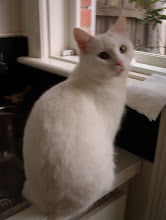
Whilst in theory I knew this, I was taken by the description of the spectrum of identity: anonymous, pseudonymous, self-asserted, socially validated, officially verified. Yes, I do have all of those and a number of pseudonyms dating back for years.  One thing I have noticed recently is that a lot of sites/apps which had previously been pseudonymous now allow real names as well so I doubt that many people I know wouldn't realize who Polyxena really is and that she isn't a white cat. In fact, I have blogged about my use of that name here and appeared at quite a few library events with that Twitter moniker on my name tag.

Hecuba the Beautiful
Hecuba

I know some people strictly divide their professional and personal identities.  I have always chosen not to do that. I am a librarian, I have breast cancer, I am a breast cancer consumer advocate, I am a technology junky, I am into family and local history, I love to cook and create recipes. All of these elements are part of my real and my online identity. However, it is also true that I do have multiple identities on the web and different clumps of people who know about different parts of my life.  Once I would have said that LinkedIn did reflect mainly my professional identity but in more recent times people from other parts of my life have started joining and my contacts have become more diverse, though my cv and skills have remained geared to my professional career.

Despite this, I usually think quite carefully about what I post. I am often amazed at some of the very personal stuff people post openly on the web, but maybe that is to do with my being an introvert.   I usually have location turned off on my phone when I am taking photos and I tend to use FourSquare mainly when I am on holidays. However, there is certainly a lot of me out there on the web.


Wednesday, January 8, 2014

#anz23mthings Thing 12 Gaming and Libraries


Gaming and the role of public libraries is something I feel quite ambivalent about. I am not opposed to gaming at all and recognize its benefits for literacy, numeracy, memory, teamwork, social engagement and collaboration - and many more things I am sure. I am just not sure how libraries fit into this.

I am not much of a mobile gamer. I can get hooked on a bit of Spider solitaire on my phone but really that's about it.  In the past I have been quite hooked on various Zynga (and other predecessor) games via Facebook and have spent quite a lot of hours on them.  I know these are not really hard-core games and I have always lost interest in them after a while. And as most of these games were based on Flash they really haven't translated over to my i-mobile environment.

Jane McGonigal's Ted Talk "Gaming can make a better world" mentioned in the summation for this Thing really resonated with me and made me think about this issue again. I have always felt that I wanted to help people be the best they can and I have wanted libraries I have been involved with to assist people in this and have it as their vision. McGonigal talks of how gaming makes us the best person of ourselves, how we confront failure and try and try again, how we get feedback again and again like we don't do in life.

We learn the habits of heroes, she says. And that too resonated with me as did her talk of Herodotos and the origins of gaming in Lydia.  That is a very dramatic story but maybe no more dramatic than issues in our current world. I like her motto: "We want to make the future" and the fact that she and her company are making games such as World without Oil, Superstruct and Evoke that can really translate games into making this happen.

I am not sure what this means for libraries, but it really has made me start to think about the issue again.


Sunday, January 5, 2014

#blog12daysxmas Post 12 #anz23mthings Thing 11 Augmented Reality

Playing with Augment
This Thing provided a good introduction to augmented  reality (AR) and its potential. AR is the use of technology to overlay digital information on an image of something being viewed through a device (eg. through a smartphone camera). This might be to play games, to check out whether furniture might be a good fit in your room (or library), to translate signs and menus from other languages or to show current and historical uses of a place.  We saw examples of some of this used to good effect in the earlier Thing about local history. A number of museums and galleries also have good apps that make use of the technology.

The following video by Dennis Dovgal gives a good overview of the topic:


Here, Matt Gonzalez discusses his five favourite augmented reality apps, Word Lens,  Dark Knight, Augment, ARZombies, and Starguide.


I downloaded the Augment app  and played around with adding some of the existing models into my environment. I decorated the television with pumpkins, added an Eiffel Tower to my desk, imported another cat, and provided my lap with a tray of coffee. You can see some of the illustrations at the head of this post.  I was just playing around but I can see how this could be really useful in library design to get a feel for particular furniture for example. I think it would also be good for creating marketing tools and promo material.

The other apps that I was interested in were the real time translators, Word Lens and Babel Shot. I was wondering about potential use for library services to those whose first language is not English. Word Lens was a bit disappointing.  It said it was a free app, but the reality is that the core operating app is free but you then need to pay $5.49 for each language before you start. It can be used offline so that's a great help if you are somewhere without wifi.  However, whilst the languages offered may be of potential to people travelling in some parts of Europe, I didn't find it of much potential for any of the main community groups in Melbourne.  The languages offered were German, English, Spanish, French, Italian and Portuguese.  But it is certainly worth a mention (as is Babelshot) if you are running sessions for the community on travel type mobile tools.

Babelshot screenshots using Greek

So I moved on to Babelshot which operates in a similar way. It costs $5.49 up front and offers a huge array of languages within the app.  I set my language to Greek and played around with it a bit. There are basically two ways it works.  You can type something in and it will translate.  Or you can take a photo which it scans and translates.  I found with the couple of simple words and sentences I typed in that Babelshot was accurate in its translation.  The first scan I did was of a record cover on Spotify and it just couldn't identify the words at all.  And in all fairness there is a warning that it works best with clear simple typeface.  I then scanned a bit of a poem by Dimitri Tsaloumas and whilst the scan was ok and recognized as Greek the translation was less than desirable.  With my bad Greek, I was able to do a better translation.  You can see an example of a sentence I typed in as well as the Tsaloumas quote in the image above. So I think this may still be a work in progress and a matter of playing and potential rather than of current use.  However, when I next go travelling I shall be very happy to have these apps and hope that they provide some practical use.

In summary from this very cursory review, in terms of libraries, I can see Augmented Reality being currently of use for planning of library buildings, promo material, and local history tours and displays. With the language apps, I do think there is potential but maybe we are just not there yet.  I also recognize that I really only looked at a couple of the possible uses that interested me and am sure that there is much more out there for libraries to explore.


Saturday, January 4, 2014

#anz23mthings Thing 10 Social reading


Over time I have investigated a few different book and reading sites. Bookjetty, LibraryThing and Goodreads stand out amongst the ones I have used most. And I think ultimately the choice depends on what you are mainly using the tool for.

These days I use Goodreads regularly and not any of the others.  I don't want to catalogue my books at home. The non-fiction is arranged in broad DDC categories and the fiction is in a bit of a jumble but all in the one bookshelf and it needs weeding. Most of my new purchases are ebooks and I can search for them in their apps.

What I want a reading tool for is primarily to monitor my own reading and to have social interactions with followers and authors.  So I decided a few years ago that Goodreads was the one I wanted to use.  I have nearly 300 friends from a range of backgrounds and covering most elements of my life. I can't ever keep up with what they are reading but I like to see their opinions about new books getting added to my to-read shelf. We don't always agree but that doesn't matter. 


I mostly use the Goodreads app on my iPhone and have it linked to report to other social media about my reading progress. I usually find the books I am reading on there but have occasionally had to catalogue a title not already present.  However, some times I just don't bother recording those titles.

I set an annual target for my reading on Goodreads but I keep it very modestly at 52.  I know people who read 365 a year but I am not really interested in doing that.  I just really want to keep a record of my reading as proof to me that I really still do it.


And therein lies a problem. I really like re-reading books. But if I re-read books the re-reads are not counted towards my annual target as the books still have their original completion date.  I have got around this in previous years by adding shelves called "read-2012" etc.  Or at least I had thought I had. However, this year I have had a real difficulty.

Elizabeth Peters
I reread a whole swag of Elizabeth Peters' books last summer in sweltering, can't do anything heat. So they are counted in my read-2013 shelf.  However, quite late in the year when I was ill and with my cotton-wool head barely capable of reading, I picked up a well-read Elizabeth Peters.  Of course, that didn't get counted either in my target or in my read-2013 shelf as it was already there once. And it got worse. After I had read that book, I went to Elizabeth Peters' site to identify the other books in the series. And I discovered that she had died. So I then reread a swag of her books which I had already reread in January 2013. This means that to calculate my annual reads I need to add the number of these books to the number of the books in my read-2013 shelf.

These calculations are not beyond me, but I really do wish that computers could do the stats for me.  It also really under-estimates the number of books read in Goodreads annual targets IMO.  Or maybe others don't re-read books?  Do you re-read? In total, I read (including re-reads) at least 106 books last year. I say at least as I think here were some others that weren't on file.  I am very happy with that as I had set a target of 52 books, the same as I have now set for 2014.

Goodreads with its iphone app is a tool that I use practically daily and a great example of a mobile tool. You can check out my Goodreads profile here.  Please feel free to add me as your friend.  I am always happy to have more.

#blog12daysxmas Post 11 #anz23mthings Thing 9 QR codes


I must admit that I am not really sure what to think about QR codes.  Are they are passing fad or are they just too much of a bother to read?  Certainly they do provide opportunities in libraries for links to lots of other information e.g. on a membership card or in displays. 


I have been experimenting with online tools for creating local history tours and maybe rather than doing a lot of writing for a stop a QR code linking back to where the data is would be enough.  Or would this work?  If you are doing a mobile tour on an app how do you go to another app to read the QR code?  Am I missing something?  However, the QR code I found above on interpretive signage on a walk in Virginia Beach, VA, shows a good use in local history. Minimal clear info can be provided on the board with links to more comprehensive info elsewhere, in this case a video about the history of the lighthouse.


QR codes do crop up in all sorts of places these days, although I think they are far from ubiquitous in Australia.  The one above is my ticket to a film called Nina at the Melbourne International Film Festival (MIFF).  The tickets for MIFF sessions on its app are all QR codes which are scanned for entry.  Another use by a Councils can be found on the information board below where the City of Yarra directs people to more information about the temporary relocation of the Council Customer Service Centre. 


I have a couple of different apps loaded on my iPhone for reading QR codes.  One is called QR Reader and the other is the RedLaser app.  These are pretty simple transactions and either work ok.

I have also been part of a Flickr group called QR codes in the wild for a while.  I have illustrated this post with a couple of my contributions to that group. If you want to look at the variety of places people have found QR codes, go over to the group and have a look. I think I might has said once or twice before that I heart Flickr.

Friday, January 3, 2014

#blog12daysxmas Post 10 #anz23mthings Thing 8 Calendars


On the tenth day of Christmas I got back to #anz23mthings!   Yes, I am going to finish this in January.  No stopping me!

Thing 8's theme is Calendars. I have tried various online calendars over the years: Outlook on my home computer as a standalone, Lotusnotes at work, Outlook at work, work calendar synced with work phone, work calendar sending invites to me on home calendar and so it goes on.

I did try Google calendar a few years ago (and know plenty who use it) but I think the key thing was that my work calendar which was critical was on Lotusnotes and then Outlook.  So Google calendar was only ever going to be a duplication for me. Finally I got to a stage when I abandoned my personal Outlook calendar and just used my work Outlook which synced with my work phone for all personal and work commitments. Of course, that led to some loss of data in terms of personal appointments (eg recurring ones) and contacts when I left that POW.

These days I am pretty happy using the native calendar interface on my iPhone. Via iCloud this syncs across various iThings.  It also allows me to add calendars from other sources eg Google, Yahoo, as well as iCal.  It also syncs with my Facebook invitations and events.  And now there is also an iCloud sync with my desktop Outlook so I have even started using that calendar again.

Wednesday, January 1, 2014

#blog12daysxmas Post 8 #anz23mthings Thing 7 Communicate: Google+Hangout and Skype


This topic's theme is Communicate! And we are asked to look at Skype and Google+ Hangout. I've had a Skype account for a while and I have used it mainly for communicating with overseas friends or with family and friends in Australia when I am out of Australia. However, I really do find email, Twitter and Facebook often a very good way for virtually instant communication. So I do tend to use those mostly. On Facebook you can easily do group discussions and I have found these very useful for many group discussions, be they with friends, family or colleagues.

I have also had a Google+ account since beta days but I must say I still don't use it very much.  In the early days I remember thinking that the Hangout was one of the best things about Google+, and experimenting with a couple of people. I can see from the use that it has been put to for discussions about the #anz23mthings that it is really beneficial.

I can see great opportunities in libraries for various things with all of these sites. Really anywhere you would like to have some face to face discussion. That could be with staff in various locations or with the community either in groups or singly. In terms of local history, I can see advantages with both Skype and Google+ for recording oral history and for group discussions about local history topics. Often people enquiring about local things will come from interstate or overseas and these tools could be used to great advantage.

Another tool that is worth considering is Facetime now that so many people of all ages have iPads and use them regularly. The photo above shows it being used in Virginia Beach, Virginia on two iPads which allowed the two people in Virgina Beach as well as the person in Amsterdam on one iPad and the person on the other iPad in New York City all to communicate!

Since my diagnosis with breast cancer I have been part of an international online breast cancer support group. The group has a face to face gathering once a year in North America whence the majority of people come. For a number of years, as part of this gathering, I have organized an international chat. It is really for any members who are in either in North America or the rest of the world and who would like to participate whilst not being physically present, so it is strictly speaking an online chat session on the program. We have experimented with a number of ways of doing this - successfully and unsuccessfully. We have an online chatroom on our website and that has been a constant for a number of years.


But in 2012 for the first time we trialled Facetime. You can see Jax in Amsterdam on my iPad participating in this photo opportunity in San Diego, California in 2012. In 2013 in Virginia Beach, Virginia, we used Skype, the BClist chatroom and also Facetime as seen in the photo at the head of this post. We had a couple of laptops set up for Skype and for the chatroom, as well as a few iPads for Facetime. People used what they felt comfortable with, or swapped around. We had talked about a Google+ Hangout but it didn't come off. The reasons were complicated (and involved illness and death) and don't need to be gone into here.

But when the BCList has its 2014 Gathering in Akron, Ohio this year, I certainly hope that we can get a Google+ Hangout organized.

Tuesday, December 31, 2013

#blog12daysxmas Post 7 #anz23mthings Thing 6 Youtube+Screencasts

I am not really much into video creation, I must say.  I have been using Youtube for years and I really love the use it has for archival material.  It is great to preserve and disseminate film footage and sound archives.  These play a very special role in family and local history, and any sort of history really.

I have had a Youtube channel for a few years, but I have usually used it for videos that I have made using photos.  Sites such as Animoto and the late lamented Pummelvision have been ones I have used to document things, such as my year in photos, my uncle's life when he died, a trip to Shanghai and others.  Yes, cats have definitely featured.  But that's the web.This is my Shanghai video:


I can see a real use for this in family and local history to document a series of photos about a particular place or person. This is a very brief one I did when my uncle died, but I would like to experiment with doing some local or family history focused ones.


While doing this Thing I signed up for Vine and was amazed at the very large number of my friends who were on it.  I was also interested to see that one of the trending topics was cats.  I am a great Henri and Simon's cat fan so this was heartening to me. I haven't loaded anything to Vine yet.  I think this has a lot to do with my real aversion to jerky handheld video. For the library profession, I think it is important that we don't produce amateurish stuff that gives a bad impression.  I am sure that many members of the profession do have these skills - just not me.

And I did do a Vizify twitter video of my account today.  That showed me who my golden followers are.  You can see it here.

Monday, December 30, 2013

#blog12daysxmas Post 6 #anz23mthings Thing 5 Photos+Maps+Apps


I was determined to use the opportunity of #blog12daysxmas to get back to my #anz23mthings, particularly as I fell out of it during #blogjune and have lacked the mojo to get back to it since then. Unfortunately working on this Thing has made me feel rather disheartened.

Thing 5 of the 23 mobile things is all about a mixture of my favourite things: technology and local history.  So I should be so excited about this. We were given three apps/sites to explore Historypin and WhatwasThere which both have both apps and websites and Sepiatown which only has a website.

This combination of old and new photos and maps is something that I have long felt was a really special thing that mobile phones could do. I want to be able to walk down the street and have my phone tell me when there is something that someone has considered of historical importance nearby, show me what it used to be like and give me info about the site as well as links to further information. And yes I know someone has to research the places and input the photos and data and do the geo links.  But I am more than willing to do that if I can find a good app.

All these sites show the potential for this long term dream of mine, but unless I am really missing something none really do it for me.


SepiaTown: from here to then is a nice site but it doesn't have an app, so it only ever had the potential to succeed in part of my dream.   Unfortunately there were very few photos around me (three in the Melbourne CBD to be precise) but that's a matter of them being put up. It is fairly clean and simple site:  you search a map and find nearby photos, click on them and then you can also look at Google streetview. Or you can do a random search.  The photo and the map/streetview are adjacent to each other on the screen so I don't know how this would work in an app without being completely configured. I played around with a photo of the State Library of Victoria, and then some Random searches which mostly brought me to NYC but also France and Germany. Sepiatown focuses on specific cities and has a number of featured cities including Sydney where there are lots of photos loaded. All that I hit were from the Powerhouse, but that may have been chance.

Then I did a specific search for Athens, Greece. Not good: there seemed to be only one photo in Greece taken in Livadeia in 1947. There was no Google imagery available for the Now version of this photo.  I was interested in looking for Greece, because I was thinking about how we could use such tools for relating to our aging ethnic communities and how we could use their photos and memories.  And that's certainly not to say we can't use the tool for that purpose, just that we would be starting completely from scratch. And it looks like the Now part of it might be very limited.


WhatWasThere has both a website and an app.  Again Melbourne didn't feature highly on the agenda so in this case I decided to give in and move to North America where most of the photos seemed to be centred (er centered).  I had fun playing around with some places I knew in San Francisco. Again, you search for a location and the site goes to the Google map and brings up a list of nearby sites.  I enjoyed looking at Mission Dolores and a couple of other buildings in the Mission area.  The way this site worked was slightly different.  You got the "old" photo and then when you asked for the now the old photo was superimposed over the now and you could fade it out. Nice. Again I did a check of Athens, Greece.  There was one lovely old photo of the Agora in 1908.  But for Greece there was no Now option on offer. Not even in Athens.  Leaving aside photos belonging to our ethnic communities, there are fabulous historical photos of Athens and this could be such a great tool for documenting that history.  But apparently there is no Now for comparison.

I loaded the app for WhatWasthere and went out for a walk with it.  But as there was nothing there it wasn't very useful.  It looked like I could look at existing photos and load new ones but I couldn't work out a way to search the app ie to find the photos of Athens or San Francisco I had found on my desktop. The app seemed only to be interested in where I was.


And then we come to Historypin.  This really is the site with the most potential. I had heard about it ages ago and had the app but I had never done more than have a quick look at it.  I got off to a bad start with the app.  It kept on freezing on me or throwing me out if, for example, I tried to go to Help.  I tried deleting it and reloading it, a necessity because of the freezing.  But to no avail.  I also couldn't signin in the app as it sent me to a place on the website where I got a message that the page was unknown.  Sigh.

So I went to my desktop and opened the website.  Setting up an id was fine through Google+, Twitter or Facebook and I created one.  I played around on the site looking at all the Channels that had been set up by different organizations and individuals, and also the Tours though I was a bit irritated that you appeared only to be able to browse the Tours not search them. There are good FAQs for loading photos and other processes.  I went on a couple of Tours in NYC and was quite excited about the prospect of doing a little trial tour for myself. I looked at the map locally and found quite a few photos.  So I worked out my tour which was going to be linked to the Collingwood Historical Society Hotels  Database. There was one photo of a hotel already there and I thought I would add a few more in the street and create a tour.

I headed off with my phone but alas and alack I still couldn't sign in on the app even though I now had a valid id.  It still kept on sending me out of the app to the site to a message that the page requested couldn't be found. This meant I couldn't really do much with the app,eg I couldn't take photos. Also strangely the nearby photos that appeared on the website never came up on the app. I took photos and came home. I wondered if my lack of access to the app had something to do with my phone?  I remembered I had loaded the app on my ancient (well a couple of years old) iPod and checked there.  Again I couldn't sign in and got sent to the same page missing part of the site.  But I did manage to get into Help which I had not been able to do on my iPhone. So I sent an email explaining my issues.  The result was immediate:


Eventually I found another email address on the website and so I wait for a response about the app.  I do have photos and I will experiment setting up a Tour but it is very frustrating not to have mobile access. And yes there are also lots of lovely photos on the Greek map. But unless I am missing something the only way I can see streetview on Historypin is if it has been incorporated into a tour?  I'll have to try to create a Greek one to see if there are any options.

Meanwhile, I need to delete the Historypin app and reinstall it again as it has hung again.

I still have my dream, but I do wonder why all these sites only allow loading of photos from live camera or your own files.  I would love to be able to load stuff from Flickr or websites like Trove.  It would also be good to have interactive links as I found one example of a photo on HistoryPin with an incorrect caption that has been corrected on the main website.


Saturday, July 6, 2013

Gertrude Street Fitzroy Instaweather #blogjune Day 13

Gertrude Street Fitzroy 365/164 #2013PAD H365/164 #happy365 by Hecuba's Story
Gertrude Street Fitzroy 365/164 #2013PAD H365/164 #happy365, a photo by Hecuba's Story on Flickr.

Since I discovered Instaweather in #anz23mthings (or rather since I actually loaded the app as I had seen people using it before), I have been having fun playing with it and using different weather skins.  However, I do find that it is rather inaccurate in terms of the weather.  Does anyone know where it gets the data?  This day was decidedly colder than 13c at the time I was taking the photo and the temp given in my car confirmed this.  So it is a fun app to use but maybe not a very accurate one.

A Reflection on #blogjune 2013 Post 22

Soooo tired 365/184 #2013PAD by Hecuba's Story

Soooo tired 365/184 #2013PAD, a photo by Hecuba's Story on Flickr.

Well here I am nearly a week since the end of June finally reflecting on the failure that was my #blogjune.  But maybe with strict accuracy I should be fairer to myself and not say failure, but lack of complete success. Unlike the tired Xena above, I didn't spend June napping instead of blogjuning but here I am in July and for this blog, Hecuba's story, I only did eleven posts of the required 30 in June.  This was despite having mapped out and researched quite a few other posts including the two (or is it three?) posts/things I am behind with in #anz23mthings.

Oh dear!  Well maybe I just committed to more than I could achieve and should start thinking carefully about web 2.0 challenges I set myself. What are they and how am I going mid year?

I have two daily Flickr challenges (#2013PAD and #365happy) and two weekly Flickr challenges (#fp13 for both me and the Collingwood Historical Society). I am completely up to date in all four of them.  I should in all fairness admit here that another member of the Collingwood Historical Society helps with that Flickr #fp13 challenge. But still Big tick!

I signed up and committed to doing #anz23mthings and I was doing well until, well let's be frank about this, until I started doing #blogjune as well.  Or not keeping up with either of them.  However, I have been researching playing with apps and sites so it really isn't as bad as it looks. I will make a big effort and catch up with #anz23mthings by the end of next week.

 And #blogjune?  Well I committed to doing #blogjune for both this blog and for the Collingwood Historical Society blog. That meant 60 blogposts in the month of June.  I must have been mad.  By dint of a huge effort on 30 June (i.e. being tied to the computer for hours and doing 12 posts that day), I managed to complete #blogjune for the Collingwood Historical Society. Big tick! 

For this blog, I managed to complete eleven in June. This means that in June I competed a total of 41 blogposts.  So not so much failure as lack of complete success.  Earlier this morning I sat down to write this post as I was about to give up and say I had completed only eleven posts. But when I thought of the photos I had taken for posts and the drafts I had very loosely thought of, I flicked this post back into draft rather than publishing it and went back to review them.

Now hours later I am still sitting at my computer.  But I have published another ten #blogjune posts for better or for worse and I am feeling a lot better about #blogjune as this post will make post 22. I actually have scrappy notes about a few other posts too.  So maybe I will just try to finish the challenge even if I get it done by mid July.  And next year maybe I will think more carefully before I commit.

Sunday, June 9, 2013

Games to play - or not #blogjune Day 7


I am not really a dedicated games player, online or elsewhere. I play the occasional spider solitaire on my phone or iTouch and have been known to play a few Zynga games on Facebook. I can get a bit obsessed with the latter but my interest in them ebbs and flows and at the moment they don't particularly interest me. Some of them I never liked at all (e.g. Farmville) and others that I enjoyed in the past (Yoville, Cityville and Castleville) have passed their use-by-date for me (and most others I suspect given the recent Zynga lay-offs).

So a couple of days ago when I was sitting near the local Post Office answering an email on my phone I was a bit surprised to be handed a flyer for a new app game, pokem. This was particularly so as my head was totally in the space of the email I was responding to - slowly I may say as I was trying to work out what to say. I was told using the game app would help my hand and eye coordination, help keep my mind alert, and speed up my ability to text!!  I think I was the one who sarcastically mentioned early onset dementia.  I have never been told I needed to speed up my texting!

Oh dear! Like many members of my family, I started going grey when I was in my 20s and I love silver and white hair.  But I do think people make all sorts of assumptions based on it. This episode reminded me of an experience at a library unconference a few years ago.  I was in a small group discussing local history/GPS/photos etc (basically the topic of #anz23mthing 5 but before its time obviously).  In response to something I raised, a young woman (who probably didn't know that I had put up this topic for discussion) suggested that if I joined Twitter I would get all my answers.  I thought one of my young staff whom I had bludgeoned (in the nicest possible way) into joining Twitter and was in the group was going to explode.  He still talks about the incident.

I had another experience last year on a tram in Melbourne. It was late one Friday or Saturday evening and I was tapping away on my phone, surrounded by a group of young men (slightly the worse for wear from alcohol) who started talking about Twitter.  I think it was pretty new to them.  The one sitting next to me turned and said smartly "Maybe this lady is tweeting".   I responded that of course I was on Twitter but I was currently doing some stuff on Flickr.  Well, that was a conversation stopper.

This wasn't the post I meant to write but it is how it emerged. The people who created the pokem app are young neighbours of mine and are trying to promote it.  I did download the app and try it. They say it is suitable for all ages and I think it probably is.  I think from trying it that my hand/eye coordination probably does need improving and that this app could help.  Try it and see if you want. But maybe also spend some time thinking about some of the issues I have raised here. I am thinking about them too.

Tuesday, June 4, 2013

A reprise of #anz23mthings 4 and #blogjune Day 4 Mobile assisted public transport


When I was reading through some of the posts for Week 4 of #anz23mthings one of the posts I read was by @tapsister.  What a potentially life-changing one that was for me!  She described how she used apps on her phone to assist with public transport usage in Melbourne.  Well, duh Anne, why why have you not thought of this?


Fiona described her use of apps on her android, but I quickly found two similar apps for my iPhone. Train Tracker is produced by Synapps  and Tram Tracker by Yarra Trams. These both allowed me to favourite tram and train lines, to look up timetables at individual stops, stations etc.  TramTracker opens at my favourite stop and gives me the time in minutes for the next three trams (as on the tram stops with that technology). It also offers the option of using the GPS facility to find nearby tramstops and tramlines.  Great!


But this morning I headed out to Melbourne Museum for the Afghanistan exhibition and found myself waiting on a bus stop! Hmm the Ventura bus company has no app.  However, soon I found the PTV (Public Transport Victoria) iPhone application.  This provides info about all Melbourne public transport: trams, trains and buses. You can search for your route and stop, save timetables for offline use, look up times in advance (I'm not sure how long in advance as the calendar for January 2014 was there but no attached timetable), use a journey planner tool, look for nearby public transport options.

I think that this app will be the one for me! Thanks, @tapsister!  Sometimes it amazes me how I don't use tools in front of me.  When I am traveling, say in London, I always use journey planning tools.  Why don't I here? Well, I do sometimes by using Google but usually on my desk top and not on the go. But most often I just head off with a general estimation of how long it will take me to get from place A to place B.   I wonder if these apps will change my practice significantly?

Saturday, June 1, 2013

#anz23mthings Week 4 Maps and checking in #blogjune Day 1


I don't know how we went on before we had Google maps.   Well, I suppose I do really.  We used paper maps and street directories a lot.  I love using Google maps for working out where places are and how to get to them. In fact these days I get quite peeved if addresses don't have a link to Google maps.  And, of course, if you are going somewhere new using the GPS on the phone tells you exactly where you are and how to get where you are heading.

Well, maybe it's not always exactly right.  You will all have read about the unfortunate issues with the maps program that came with iPhone 5.  One of the stories that hit the press was about people missing Mildura.  Fortunately there is now a Google Maps app for the iPhone 5, though unfortunately you have to go to it specifically and don't get there automatically from other sites.

However, Google Maps certainly isn't perfect either. One example of its inaccuracy I found recently was its placing of the Hotel Grande Bretagne in Athens in the National Gardens, not on Syntagma Square where it really is. However, I recently used Google Maps to plot a whole road trip around Greece, with its assistance working out distances of legs of the trip as well as routes and highways. Its coverage of public transport is rather chequered around the world but presumably this is gradually changing.

So yes I love using maps on the go, but I always like to plot stuff in advance and have some idea where I am going rather than doing it completely on the run.  Of course, some times this isn't possible but I don't think I would have ended up missing Mildura as I like to have a general sense of direction and geography.

But checking in, now that's another story entirely.   I thought I had signed up for Foursquare ages ago.   And I had BUT I hadn't got very far with it and I hadn't installed the app.  So this time I installed the app (see above), dutifully found friends who belonged and asked to befriend them.  So I am now getting push notifications about where these friends have checked in.  But they are hearing nothing from me.  I don't want to go any further with Foursquare for the same reason I don't checkin with Facebook, why I don't put GPS on lots of my photos and why I didn't even give my location to Foursquare years ago. Foursquare seems to think I belong in Glenferrie Road Hawthorn as I must have been there when I joined up originally :)  I simply don't want people to know exactly where I am every minute of the day.  In fact I simply don't want them to know where I am particularly at all.  They get lots of clues from social media but I don't think people need any more detail about me.

It is interesting to think about this in the context of the blog @flexnib did recently about being plugged/unplugged.  Checking in is one area where I choose not to be plugged in. I do wonder how many people actually use Foursquare or other checking in programs regularly.  It was interesting to see all my friends who cropped up on Foursquare.  But when I looked at how frequently they used it a lot hadn't used it for a year or so.  The friends who seem to use it most regularly are my friends who do geocaching.  This is just a general reflection not based on empirical evidence (or any evidence really), but I do wonder how many people joined up when it came out and don't really use it any more?


Friday, May 31, 2013

#anz23mthings Week 3 Email on the go!


I love email on the go! I have five email accounts linked up to my iPhone, my iPad, and even my old iTouch so that they are part of iCloud.  Some of my friends think I am crazy for even having four personal email accounts, but I use them for different things.  The fifth email account I have linked up is the Collingwood Historical Society Yahoo account.

I don't use push notifications for any of these accounts as it would drive me mad.  I do check the emails regularly though and any new ones upload when I open the interface.   In fact, I am not a big fan of push notifications for anything so it is nothing different for email accounts or apps.

I use the standard (IOS I suppose) interface on my devices. I already had the individual Gmail and Yahoo! Mail apps installed on my phone, but I didn't know about Mailbox until I was reading for this Thing. I can see that they all have good things about them and things that would improve the IOS interface. But I don't use them except occasionally.  And the reason?  These are all limited to a single email provider, though you can have multiple accounts registered with the one provider with Mailbox at least.


Why I like the IOS interface is quite simple. I have email accounts with my ISP, Yahoo!, Gmail and Hotmail (aka Outlook).  I can see all my email accounts on the one interface, and even through the one master inbox.  I can flag items for followup action in any account and they appear both there and in the flagged file, and ditto with VIP emails. With the Yahoo! and Hotmail accounts I can move them into relevant folders and I can view the complete online contents of those folders like I would on the web. Once I had to go into different websites to do this. You can see the interface for my Yahoo folders above.

The downside to reading email across different devices is that some work well with this and others don't.  The emails from my ISP account are the main problem with this as they remain unread on other devices and on webmail despite being read on one device. I don't think this is a settings problem.  I just think it is a downside of the service.  I'm not a big Gmail user and was very late getting an account as by the time it arrived I already had active Yahoo! and Hotmail accounts for cloud email.  I find Yahoo! works best across devices and syncs immediately.  Hotmail seems to have a bit of a time lag but does catch up.  Maybe I should fiddle with the settings again?

One issue can trick me and I need to be conscious of it I have had Outlook open on my PC. That is that intermittently, if Outlook is open and I think if it does an auto send/receive, the new items uploaded will not appear on my devices.  And all emails written in Outlook will only appear on my devices if I bcc or cc my myself.  That can be a pain if you want the full email trail on the go.  But really these are minor things compared to the convenience of having access to all the accounts in one place.

So yes, email on the go is a great thing for me.  It's a great way for people to get in contact with me.  If I don't want to deal with stuff immediately I just flag them for later action and I regularly review the flagged items.  I do wish there was some way of linking these as tasks to my calendar.  If there is a way someone please let me know!


Monday, May 13, 2013

#anz23mthings Week 2 I heart @Flickr


Well I guess the heading says it all!  I love snapping things either on my camera or my iPhone.  I take all sorts of things: leaves, skies, architecture, street art, cats (particularly my Xena), clouds, flowers, holidays. You can follow me on Instagram as Polyxena2 but don't expect much interaction from me. I joined Instagram but unlike Kim I didn't really get into it and I don't use it very much.  My fave is Flickr.

Like lots of other  things, I started using Flickr as part of the original 23 Things that I did in 2007.  And well, I guess as time has gone on it has become one of my favourite social media and cloud storage tools. I load my photos there almost daily (either directly or via the Flickr or other apps), I belong to many groups, and I participate in a number of challenges.  This year I am part of the Friday Photos group where we are given a weekly theme and post three photos by the following Friday. I take part in Kathryn Greenhill's Happy365 group and I administer the 2013 Photo a Day Group as well as the Victorian Public Library Buildings group and the Victorian Hotels group. I also participate in the general #FlickrFriday group which has a themed one photo a week focus.

Aside from my own account, Hecuba's Story, I manage the Collingwood Historical Society's Flickr account and face the weekly challenge of trying to find local photos which fit the Friday Photos theme.That involves lots of thinking out of left field, but so much fun. It is quite a different thing for an historical society to do but we find we are getting engagement and information enquiries and discussion there and engaging with people who are different from our face to face members. And it is a great way for us to document today which is, of course, tomorrow's history.


Specifically for this Week 2 task, I took a photo of my new British Museum umbrella with my iPhone Flickr app.  I cropped it, added an effects filter, added tags, a set, and groups and uploaded it to Flickr.  As part of the upload the photo was also fed out to my Twitter and Tumblr accounts. The Flickr app which was upgraded not so long ago is now very good - it had been awful.  So now I am happy to use it.


I also took a screen shot on my iPhone of my doing the uploading of the umbrella photo.  That was in my iPhone photos so I opened my Flickstackr app and used that to upload it to Flickr.  Flickstackr is my favourite Flickr app and I use it a lot to load and edit and comment on photos.  It has the full Aviary editing functionality and is a great little app.

To get both of these photos into this blogpost, I used the iPhone Blogger app to upload them as I was trying to focus on mobile apps, though I could have used other ways. Flickr and my iPhone provide me with such a range of versatile ways of getting my photos to the world as well as editing and storing them.  Yes, I heart Flickr.

Saturday, May 11, 2013

#anz23mthings Week 1 A Twitter Dilemma


I've been a Twitter user, both on my desktop and on mobiles, for years and I have used both Twitter and a range of third party clients, some now defunct and some still operating. As some of you know, my Twitter handle is @polyxena and you can read about the significance of that in this blogpost.

Twitter is an integral part of my life - or is it?  Now I am in the midst of a real dilemma about my use of it.  This post is about my history of using Twitter as well as my current dilemma.

I thought I joined Twitter as part of the original 23 things that I did with Victorian public libraries in 2007.  But as an historian I wanted to check that out, and I discovered that I didn't!  When I looked back through this blog, I found out that I had decided when I was doing Thing #19  that Twitter wasn't for me and that I wasn't going to join up!   I looked at Facebook and MySpace instead.  However, after the 23 Things were completed I continued on with the Web 2.1 which Helene Blowers' library was running.  And guess what?  Along came Thing #35 Mini or microblogging and I relooked at Twitter and joined up then on 5 January 2008.  You can read what my views on it then were here.  Yes, I was pretty cynical about its value for me or for my workplace.

However, as I started to use it my views changed radically. Once I had built up a body of followers and people I followed, I realized the amazing benefit of Twitter to me in a number of areas of interest. I currently follow 1,594 others and have 748 followers.  On a whole these cover a wide range of my interests though it is true to say that librarians are probably over-represented and some other areas of my interest have not yet been re-educated.

I had been a voracious user of RSS feeds and got most of my general news, public opinion and professional reading that way. But as time moved on I realized I didn't need (or wasn't using) RSS feeds for this and was only occasionally reading them.  I was doing most of my professional reading through a Twitter filter and I typically started each day with an early morning coffee in bed and with Twitter where I got the latest news (normally before I heard it on the radio) and got my professional reading fix.

We had had a Twitter account (in fact more than one but that is another story) at the City of Boroondara Library Service from about the time I and a number of other staff members joined and we used it mainly to advertise events or to link to our blogposts or Facebook but also to post or RT items of interest.  However, we had quite a number of staff on Twitter and one thing I found it very useful for was to put out pleas for emergency staff on the weekend when someone rang in sick!  Posting on Twitter sure beat ringing around and rousing people from their weekend sleep. We also found it a great tool for communicating about system outages.  Often on weekends, if systems and the VOIP connected phones were down, that was how staff communicated with me and I could set recovery into play.


Aside from the professional reading, I also built up a great personal learning network on Twitter with librarians from all over the world, but predominantly in Australia as they are in my time zone.  This meant that there was always somewhere to go to float an idea, get some data, cry for help or engage in all sorts of discussions (yes even about cat photos and Cats).  Twitter provided me with amazing professional support from across all the sector and provided a supportive environment to test ideas. Many of these people I have never met, though through local Tweetups (see one heading this post with @flexnib and @restructuregirl at Tulks), various serendipities, and overseas travel I have met some of these people in real life.  VALA conferences in Melbourne were always a great meeting place. But the reality is that it doesn't matter if I have met these people.  I have many, many friends that I have had as online friends for decades, and these Twitter friends are similar.


An astute reader of this post may have realized that there has been a bit of past tense usage. And therein lies my dilemma. Late last year I retired from my position at the City of Boroondara Library Service and not unsurprisingly I have been pursuing other interests.  I realize that my Twitter life has now changed.  With my early morning coffee, I am much more likely to go to Flickr first to check out on what has been going on in the rest of the world overnight, or to my email. I also find that I am using Facebook more than I did when I was working. Once Twitter (or Echofon) would have been the first thing I went to.

Does this mean that Twitter is no longer an integral part of my life? I didn't think Twitter was just about libraries for me, or my personal learning about libraries, but now I wonder.   I don't know and I would be interested in getting people's comments on this.  I will continue to monitor this and see how I go.  Maybe I need to embark on re-educating some other areas of my interest. Surely Twitter must be important to everyone?


Blog Widget by LinkWithin